
What Happens During a Network Cabling Site Survey?
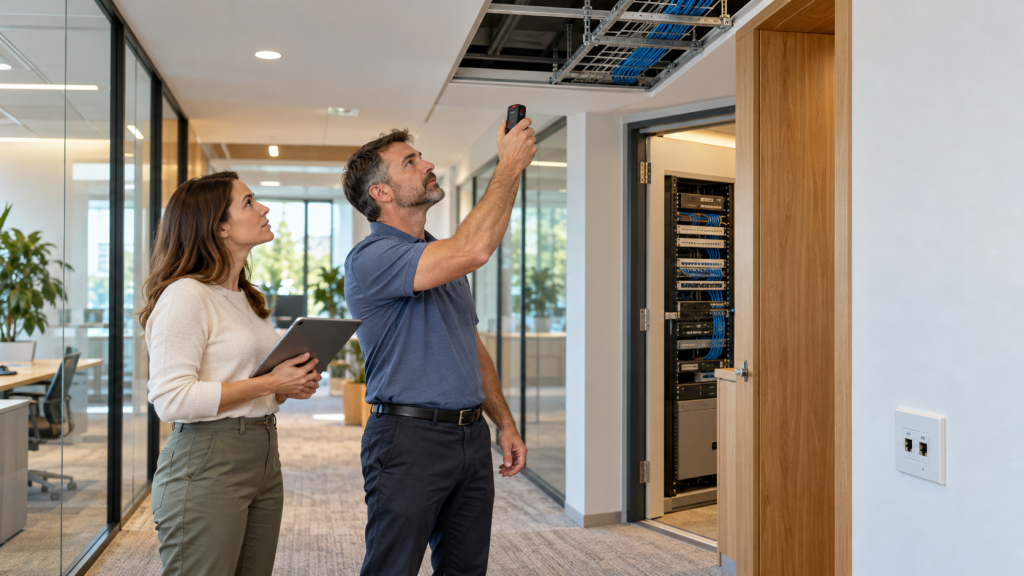
Before any cable gets pulled, a good installer wants to see your space with their own eyes. That visit is the site survey, and it shapes everything that follows: the design, the materials, the timeline, and the price.
Skipping it is how projects go sideways. A quote built on a floor plan alone misses the obstructions above the ceiling, the distance a cable actually has to travel, and the dozen small realities that only show up in person. The survey is where those get caught, long before they turn into change orders.
If you have a cabling project coming up and a technician is heading over to look things over, here is what that visit involves and how to get the most out of it.
What a Network Cabling Site Survey Is
A site survey is an on-location assessment where a technician walks your building, studies how the space is laid out, and gathers the details needed to plan the cabling job properly. It is the step that turns a rough idea into a buildable plan.
During the visit, the technician looks at where your equipment lives, where connections are needed, and how cable can physically get from one point to another. They note the construction of the walls and ceilings, the spots where routing will be tricky, and anything that could interfere with a clean installation.
The result feeds directly into the network infrastructure design and the quote. Rather than guessing from a drawing, the installer works from what the building actually looks like, which is the only way to size the job correctly.
Why the Survey Is Worth the Time
A cabling job rests on dozens of assumptions, and the survey is where they get tested against reality. Catching a problem now costs a conversation. Catching it after the crew arrives costs money and days.
Picture a cable run that looks short on the floor plan but has to climb over a firewall and around ductwork to reach its destination. On paper it is thirty feet. In the building it is ninety, and it may exceed the distance the cable can carry a signal. The survey surfaces that before anyone commits to a price or a schedule.
The visit also protects your quote from surprises. When the installer has seen the obstacles firsthand, the number they give you is grounded in the real job, so the final invoice tends to land where it started rather than creeping upward once work begins.
The Walkthrough: What the Technician Looks At
Most of the survey is spent on foot, moving through the building and taking in how it is put together. The technician pays attention to things that rarely make it onto a floor plan.
- Ceilings and walls. Drop ceilings, drywall, concrete, and plaster each call for a different approach, and the technician notes which ones stand between the equipment and each connection point.
- Pathways above and below. Existing conduit, cable trays, and riser access decide how cleanly new cable can be routed, so these get mapped early.
- Obstructions. HVAC ducts, plumbing, structural beams, and electrical lines all shape the route, and the survey records where they sit.
- Sources of interference. Motors, fluorescent lighting, and heavy electrical equipment can degrade a signal, so their locations matter when planning cable paths.
- Access and safety. Where ladders and lifts can reach, which areas are occupied, and when work can happen without disrupting your day all get noted.
Measurements, Routes, and Drop Locations
With the layout understood, the technician gets specific. They measure the real distances each cable will travel, following the path it will actually take rather than the straight line on a drawing. That matters because copper cable has a maximum run length, and a route that wanders too far needs a different plan.
They also pin down where every connection point, or drop, needs to go. A desk, a wall-mounted access point, a camera, a printer station, each gets a location, and the count of drops is one of the biggest factors in both the design and the cost to install network cabling.
From there, the technician sketches the routes that tie the drops back to a central point. Good routing keeps runs within spec, avoids interference, and leaves room to add more connections later without tearing anything apart.
Reviewing What Is Already There
Few buildings are a blank slate. If cabling already exists, the technician examines it to see what can stay, what should be replaced, and what is simply dead weight left by a previous installer.
The equipment area gets close attention. The technician looks at the existing rack or cabinet, the patch panels, the switches, and how much power and cooling the space has. If the plan calls for new server cabinets, they confirm there is room and the right conditions for them.
They will also ask how your network is used today and where it falls short, whether that is dead zones, slow spots, or connections that drop. Understanding the current setup helps the design fix the real problems instead of recreating them in newer cable.
What You Get After the Survey
Once the visit wraps up, the findings become the paperwork that drives the project. Expect something along these lines:
| Deliverable | What it gives you |
| Site assessment notes | A record of the conditions, obstacles, and constraints found |
| Proposed cable routes | How and where the cabling will run through the building |
| Drop schedule | Every connection point and its location |
| Material recommendation | The cable type and hardware suited to your needs |
| Detailed quote | An itemized price grounded in the real scope |
| Timeline estimate | How long the work should take and any sequencing notes |
Together, these turn the walkthrough into a plan you can review, question, and approve before a single cable is run.
How to Prepare for the Visit
A little preparation makes the survey faster and the resulting plan sharper. A few things that help:
- Gather any existing drawings. Floor plans, past cabling diagrams, or building blueprints give the technician a head start, even if they still verify everything on site.
- Know your headcount and devices. A rough sense of how many people, workstations, phones, and cameras need connections shapes the drop count.
- Flag your plans for growth. If you expect to add staff or open more of the floor, say so, so the design leaves room for it.
- Arrange access. Make sure the technician can reach server rooms, closets, ceilings, and any locked areas on the day of the visit.
- Point out known trouble spots. If certain areas already have weak signal or unreliable connections, mention them up front.
The more context you hand over, the closer the final design will match how your business actually works.
Frequently Asked Questions
How long does a site survey take?
That depends on how large and involved the building is. A small office might take under an hour, while a warehouse or a multi-floor space can run half a day or longer. The technician can give you a rough estimate when scheduling.
Is a site survey free?
Many cabling companies fold the survey into their quoting process at no separate charge, though this varies by provider and project. It is worth confirming when you book the visit.
Do I need a site survey for a small job?
Even a small job is better off with a quick in-person look. A handful of drops can still run into hidden obstacles, and a short survey keeps the quote and the plan accurate.
What should I have ready for the technician?
Any floor plans you have, a sense of how many connections you need, access to the relevant rooms, and a note of any spots where your current network struggles.
What happens after the survey?
The technician turns the findings into a design, a drop schedule, and an itemized quote. Once you give the go-ahead, it heads into scheduling and the install.
Schedule Your Site Survey With H-Tech
H-Tech surveys and designs network cabling for businesses across Pennsylvania and New Jersey. Our technicians visit your space, map the real conditions, and hand you a clear plan and an itemized quote built on what the building actually requires.
Get in touch to book a site survey and take the first step toward cabling that fits your space and grows with you.